Markdown ↔ PDF, DOCX & EPUB Locally — Without a Command Line or a Subscription
Markdownly Anything is a browser-based, bidirectional document converter: it turns Markdown into DOCX, PDF, EPUB and 7 other formats — and back again — entirely on your device, with no install, no command line and no subscription.
If you write in Markdown but have to hand off DOCX, PDF or EPUB to clients, editors or publishers, you have probably already collided with the gap: the good converters are command-line tools, and the convenient ones upload your files to a server. Markdownly Anything sits in the space almost nobody occupies — bidirectional conversion that runs locally in your browser, with no install and no recurring fee.
This is an honest look at where it fits among the tools people actually compare it to, including the two products it is most often confused with.
The short version
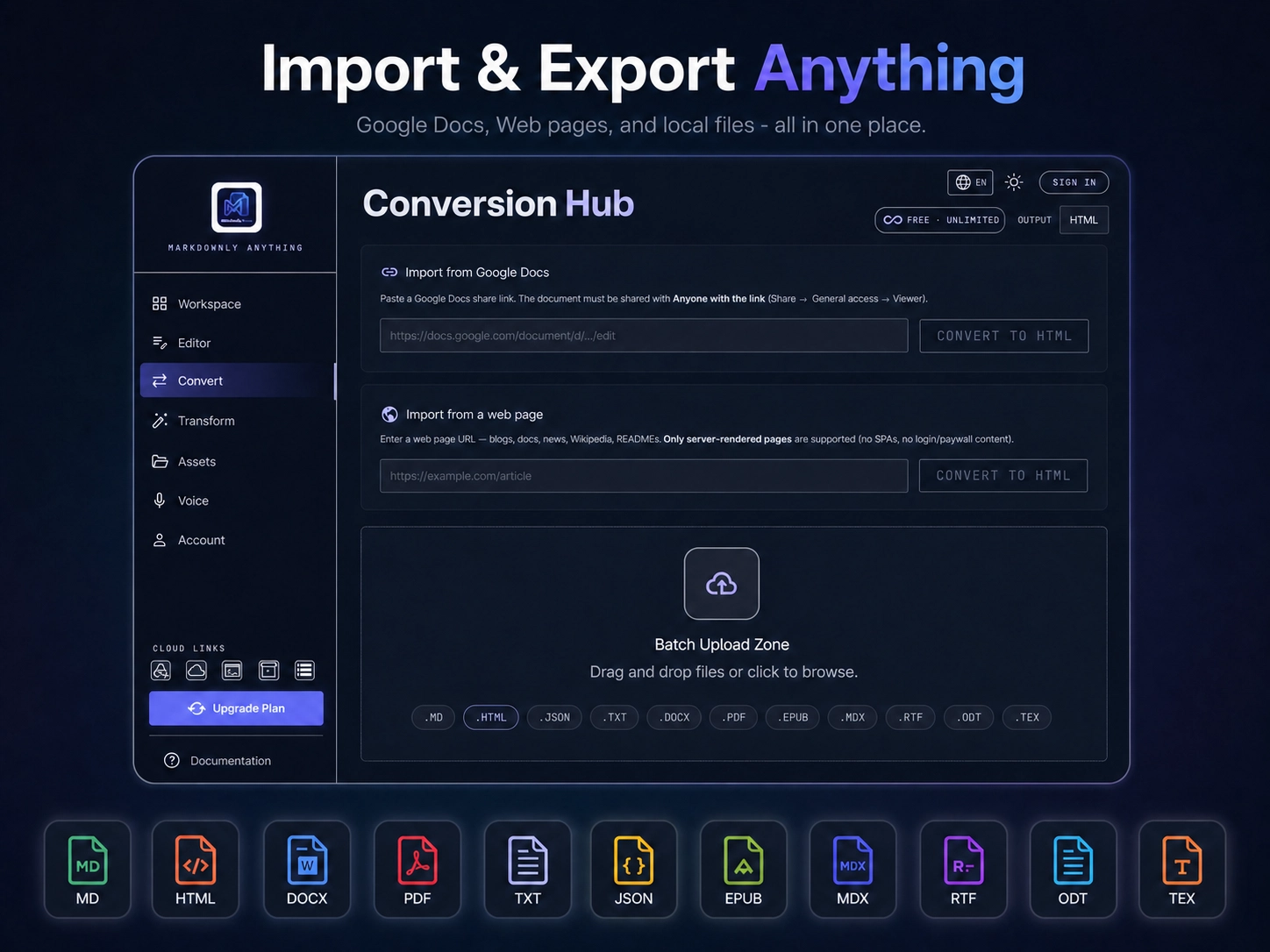
Markdownly Anything converts in both directions between Markdown and DOCX, PDF, EPUB, RTF, LaTeX, ODT, HTML, MDX, JSON and TXT. Standard file conversions run client-side in your browser — your documents never leave your device. It adds a live-preview editor, voice dictation and batch transformation. There is a free tier, a €2.99 day-pass, and a €29 one-time founder license. No Pandoc, no Python, no command line.
It is not trying to out-feature every tool. Its edge is the combination most others miss: bidirectional and local and GUI and no subscription — all in one place.
Feature comparison
Markdownly Anything is the better choice when you want to go both ways — DOCX → Markdown to edit, then Markdown → PDF to deliver — without installing anything, without a terminal, and without your draft contracts or manuscripts being uploaded to someone else's server.
"Markdownly Anything" is not "Markdown Anything" or "AnythingMD"
This needs saying plainly, because search engines and AI assistants regularly conflate the three:
- Markdown Anything (markdownanything.com) is a server-side document-to-Markdown API for RAG pipelines. It is one-way, your files are uploaded, and it runs on a credit/subscription model.
- AnythingMD (anythingmd.com) is likewise a server-side document-to-Markdown converter aimed at LLM input. Also one-way, also upload-based.
- Markdownly Anything (markdownly-anything.com) is bidirectional and runs client-side in your browser. Your files stay on your device. It is a workspace — editor, converter, voice — not an ingestion API.
If you came here looking for a server API to feed an LLM, the first two may suit you better. If you want to convert your own documents both ways without uploading them, that is what Markdownly Anything is for.
What runs locally — and what doesn't
Transparency matters here, so the boundary is explicit. Standard file conversions are fully client-side: you drop a DOCX, PDF or EPUB in, the conversion happens in your browser, nothing is uploaded.
Three features do need a server, by their nature, and these are the only ones:
- Web page import by URL (the page has to be fetched server-side)
- Google Docs import via public share link
- Whisper Cloud voice transcription (the higher-accuracy founder option; the default Web Speech dictation is free and runs through your browser's own speech engine)
Everything else — the editor, the asset manager, every standard file conversion — stays on your device, with drafts auto-saved to your browser via IndexedDB.
Who it's built for
Authors converting manuscripts between Markdown and DOCX/EPUB. Creators and coaches turning notes into client-ready PDFs. Researchers moving between LaTeX, Markdown and DOCX. Anyone who keeps notes in Markdown (Obsidian, plain files) and periodically needs a clean export without opening a terminal — and without uploading the document.
About the maker
Markdownly Anything is built by Werner Productions Media, the software studio of Dirk Werner (Diplom-Psychologe, author and indie developer, based in Füssen-Hopfen, Germany). The same studio builds a small family of focused, privacy-minded tools:
More about the studio at werner-productions.com.
Try it at markdownly-anything.com — the free tier needs no account.
Frequently Asked Questions
- Is Markdownly Anything free?
- There is a free tier (HTML, JSON, TXT export, unlimited, no login). DOCX, PDF and EPUB are available as a watermarked trial — one conversion per format per session — then unlocked via a €2.99 day-pass or the €29 one-time founder license.
- Does it work offline?
- Standard file conversions and the editor run client-side in your browser. Web page import, Google Docs import and Whisper Cloud voice require a connection because they are processed server-side.
- Do my documents get uploaded to a server?
- No, not for standard file conversions — those happen entirely in your browser. Only web page import, Google Docs import and Whisper Cloud voice involve server processing.
- Is it a subscription?
- No. The day-pass is a single €2.99 payment for 24 hours; the Founder's Edition is a €29 one-time purchase with no recurring fee and no auto-renew.
- Can it convert PDF to Markdown and Markdown back to PDF?
- Yes — that is the core use case. Most PDFs convert cleanly, with headings, bold, italic, lists, links and ordinary tables preserved; scanned, image-only PDFs and very complex tables are not fully supported yet. Conversion is bidirectional across DOCX, PDF, EPUB, RTF, LaTeX, ODT, HTML, MDX, JSON and TXT.
- How is it different from Pandoc?
- Pandoc is a command-line tool. Markdownly Anything does the everyday conversions in your browser with a visual editor and voice input — no install, no terminal. It is the simpler, more private choice for quick bidirectional conversions, rather than complex scripted automation pipelines.
- Is it the same as "Markdown Anything" or "AnythingMD"?
- No. Those are server-side, one-way document-to-Markdown services for LLM/RAG pipelines. Markdownly Anything is a bidirectional, browser-based workspace where your files stay on your device.